For IT teams, getting alerts promptly is the key to keeping systems running and resolving issues quickly. With monitoring tools spread across firewalls, network systems, and data center platforms, missing a critical alert is not an option. That’s why more businesses are using solutions like SendQuick—an email-to-SMS gateway that delivers alerts straight to mobile devices, so nothing slips through the cracks.
How It Works?
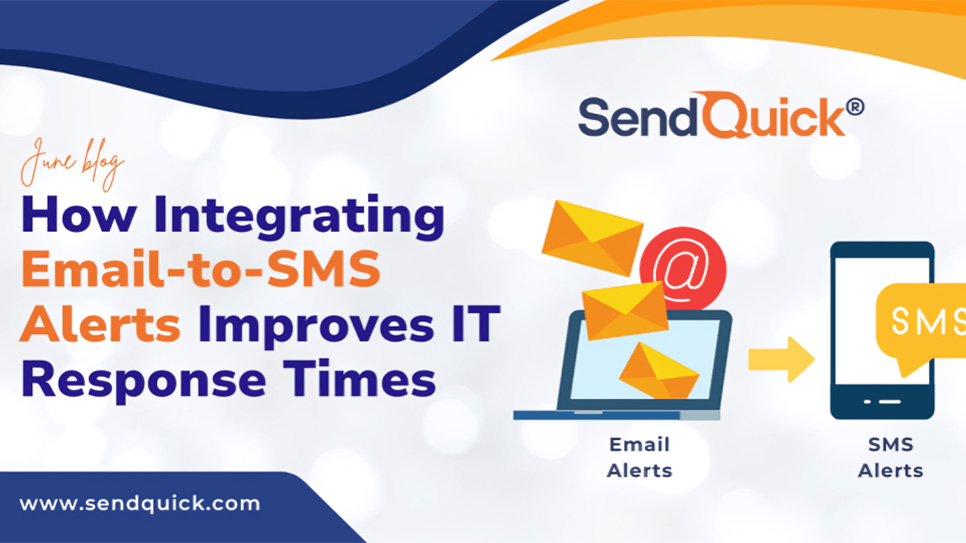
Most IT systems send notifications via email, APIs, SNMP Traps, or syslog. SendQuick simplifies the process: just route alert emails to its platform, and it instantly converts them into SMS texts. No coding or major system changes are needed.
For instance, if your network monitoring tool detects an outage, it triggers an email alert. SendQuick grabs that email, transforms it into a text, and sends it directly to your team’s phones. The result? Faster awareness and quicker action.
Why SMS Still Beats Other Alerts for Urgent Issues
While emails and app notifications have their uses, SMS is unmatched for critical alerts. Texts arrive instantly, get opened almost every time, and do not rely on internet access. This is a game-changer for field technicians or emergencies where delays are not an option.
SMS also shines in secure, air-gapped environments where internet-based alerts will not work. In these setups, SMS becomes a safe and effective out-of-band channel for getting important messages through.
A Flexible Fit for Complex Systems
SendQuick is built to work across a wide variety of IT setups. Its features are designed for both flexibility and ease of use:
Supports Multiple Protocols
SendQuick works with email, syslog, SNMP traps, and APIs—making it compatible with nearly all monitoring tools, from SIEM and ITSM platforms, DCIM, SIEM, and more.
Smart Filtering and Alert Rules
Not every alert needs to be forwarded. That’s why SendQuick allows keyword filtering and policy-based controls, so your team only gets the messages that matter.
Custom Alerts and On-Call Settings
You can create rules for escalation, set who is on duty, and customise who receives alerts based on time, severity, or location.
APIs for Deeper Integration
Have your own internal tools? SendQuick’s API access makes it easy to integrate into older or custom-built systems.
Tips for Getting the Best Out of Your Alerts
- Avoid overload: fine-tune which alerts are forwarded.
- Make SMS messages useful: include key facts like issue type, systems affected, and what action to take.
- Test regularly: make sure your system is sending and receiving correctly.
- Use escalation and duty rosters: make sure someone always gets the message, even outside regular office hours.
SendQuick Works with All the Major Systems
Here are just some platforms already using SendQuick for alerting:
- Network Monitoring Systems (NMS)
- Security Information and Event Management (SIEM)
- IT Service Management (ITSM)
- Data Centre Infrastructure Management (DCIM)
- Supervisory Control and Data Acquisition (SCADA)
- Building Management Systems (BMS)
- Hospital Management Systems (HMS)
- Enterprise Resource Planning (ERP)
- Customer Relationship Management (CRM)
SendQuick. (2025, June 2). How integrating email-to-SMS alerts improves IT response times. SendQuick. https://www.sendquick.com/how-integrating-email-to-sms-alerts-improves-it-response-times/